This is the README from the GitHub repository. For the full source code, please visit the project on GitHub.
Developing a Discord bot was one of the first things I ever did as a programmer, going as far back as ~2014.
This project was my latest version of this, and was last updated around 2021, meaing that because of the frequent API changes, it is likely that this bot is no longer functional.
Besides some boilerplate commands that virtually every bot has, I also played around with some of the extra features that Discord offers, like buttons and reaction emojis..
I used these things to develop two unique games: A version of TicTacToe as well as a version of Battleship
The bot was developed in Python, using the discord.py library. Beyond that, the backend is fairly boring, so I'll now talk about the two games in more detail.
The concept of TicTacToe is simple, and I'm sure you've played it before.
In order to play the game, you need to use the command !tictactoe. This would send a message to the server with two buttons; the first two users to click on the buttons would be the players.
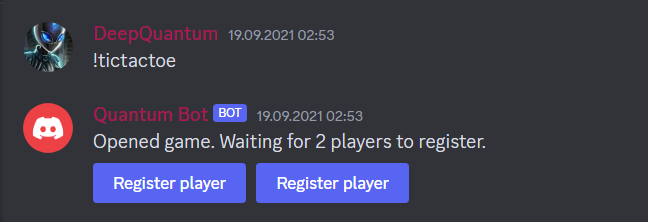
After two players have been found, the game would start. At the beginning, the bot would send an empty field into the server chat. Along with the field itself, the message would have 'reactions' (emojis) for each of the 9 fields, that the users can click on.
Once this reaction was clicked, the bot would edit the message according to the symbol of the player & and the emoji clicked. This reaction would then disappear, and the other player would be able to make their move.
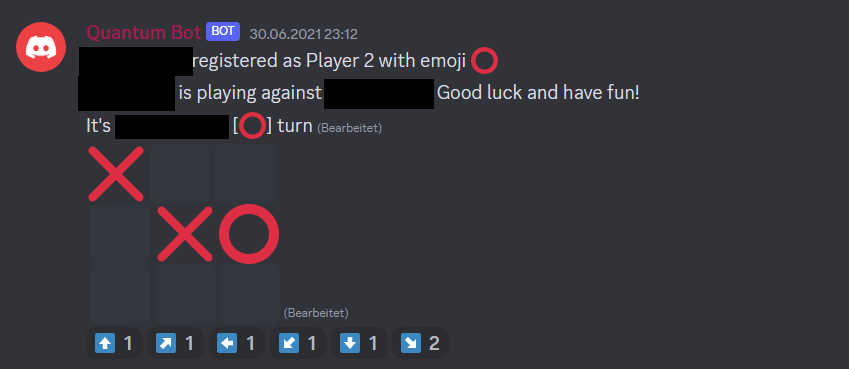
The game would continue until a player won, or the field was full. In the case of a win, the bot would send a message to the server, announcing the winner. In the case of a draw, the bot would send a message to the server, announcing the draw.
Battleships was a little bit more involved, as we obviously cannot announce the positions of the ships to the players. The registrations process was the same as before, but noow, when two players were found, the bot would send each of them a private message prompting them to place their ships in an empty field:
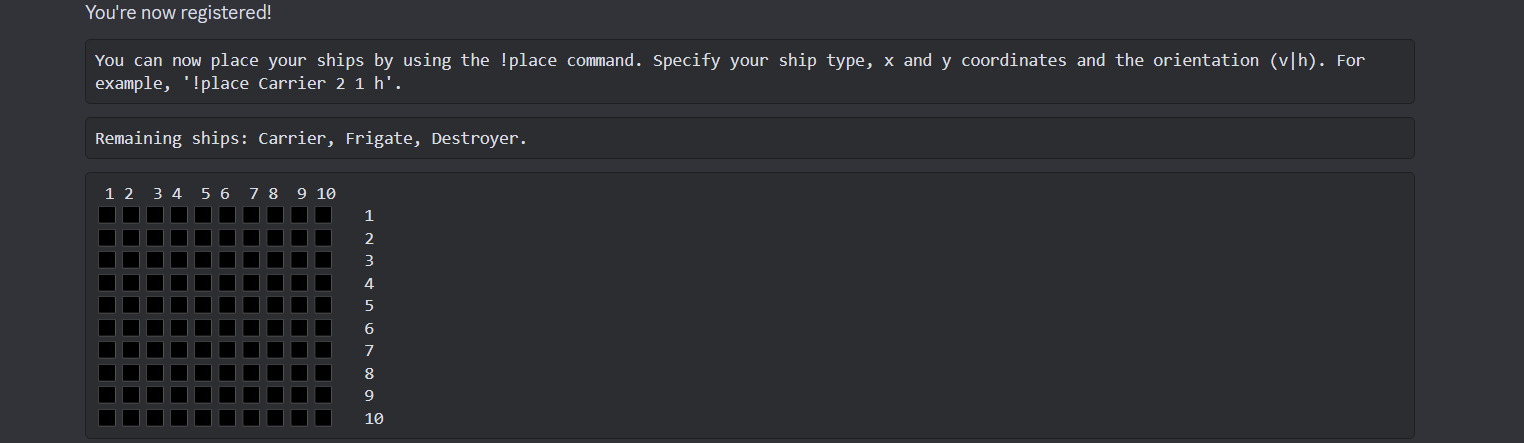
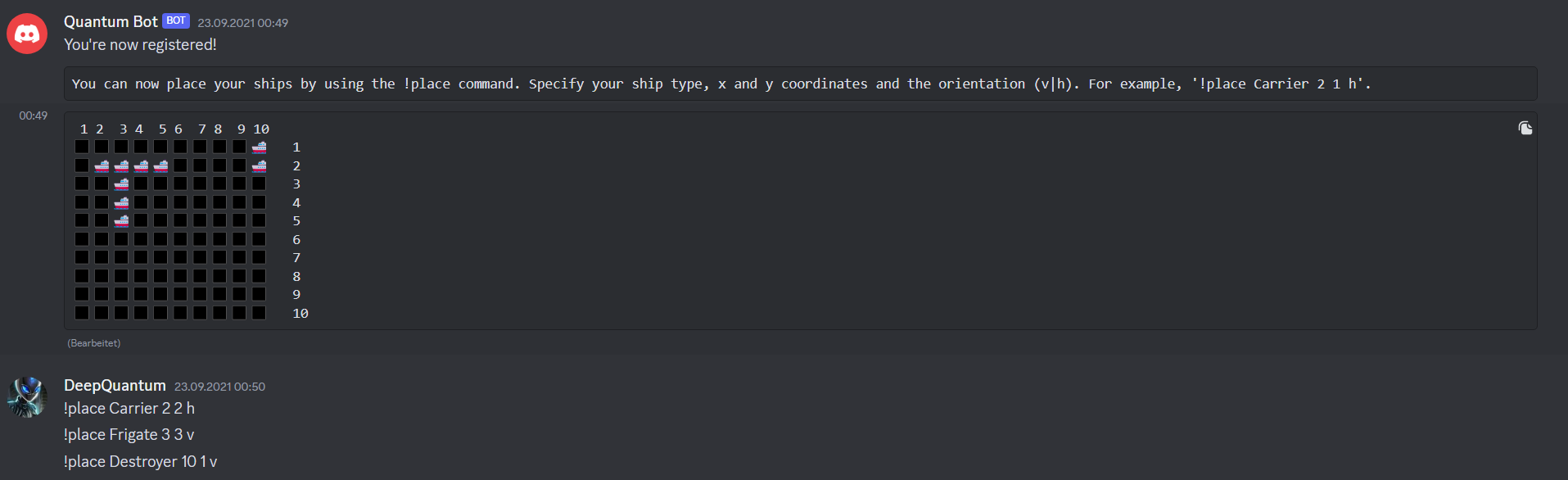
As you can see from the screenshot, players were able to place a carrier, a frigate and a destroyer, both vertically and horizontally, using the 'place' command. The bot would then edit the above board to show the ships. Once all ships have been placed, the bot would send their own field and the enemies (hidden) field to the users, and the game would start.
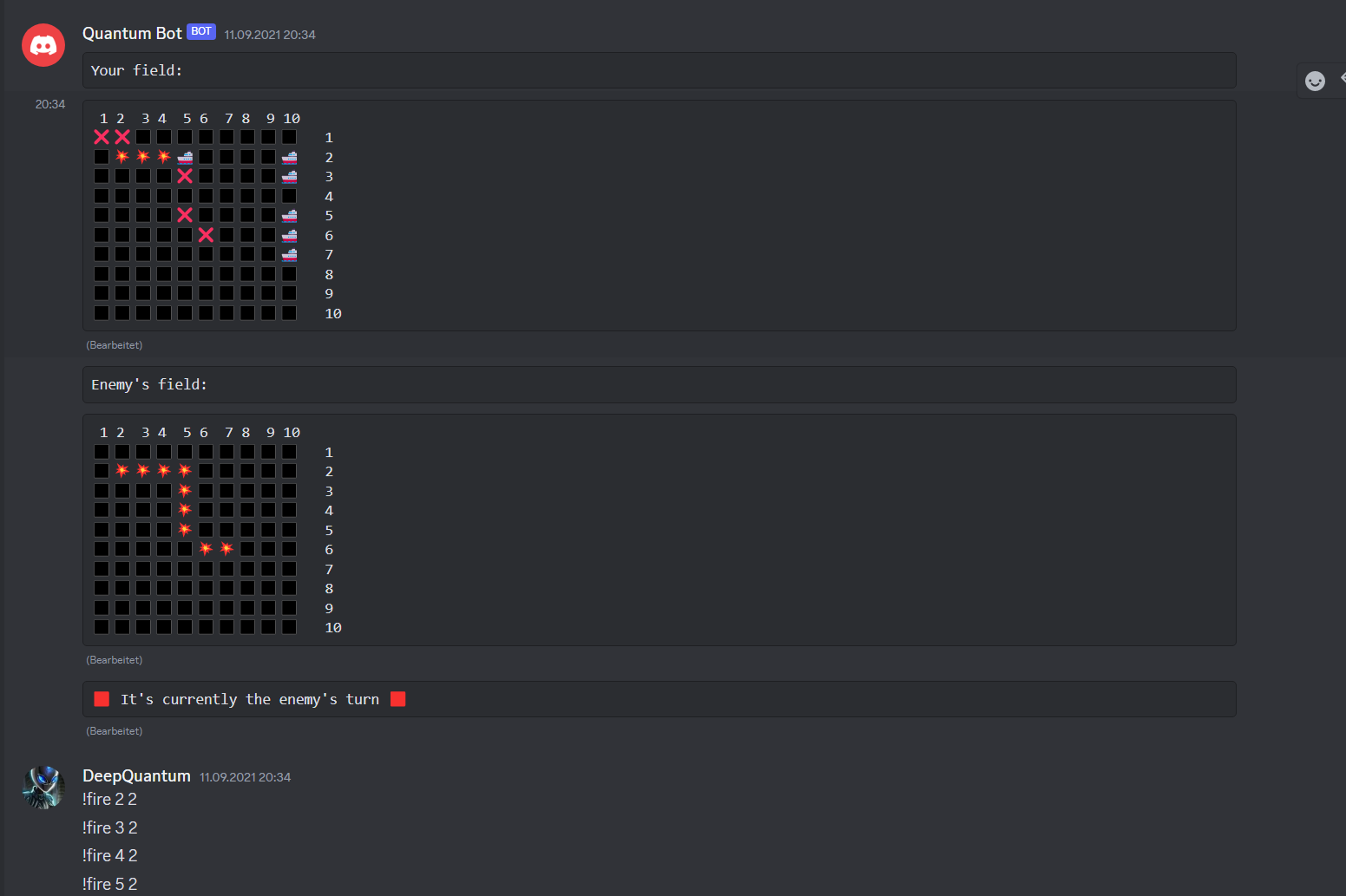
To play, the players would use the 'fire' command, followed by the coordinates of the field they wanted to fire at. The enemies field (bottom) would then update, either showing an explosion emoji for a succesful hit, or an 'X' for a miss. Similiarly, a players own field would be updated. There was also a message showing whose turn it was, which would also be continuously updated. Once all ships had been sunk, the bot would announce the winner.